

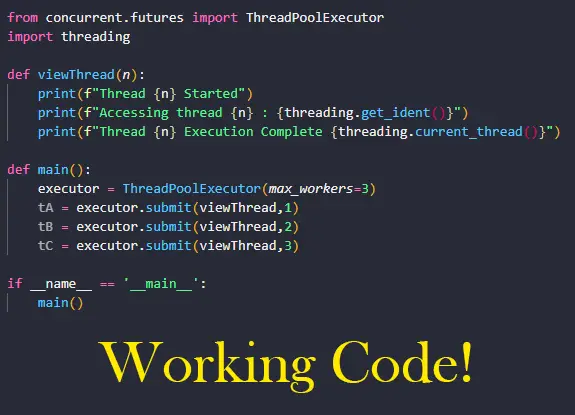
Let’s do a ThreadPoolExecutor Executor in Python. We will be using Python 3.8.10. Let’s go! ✨🔥⚡
The ThreadPoolExecutor in Python, is a subclass of the Executor class. It is one way used to facilitate asynchronous processing in Python by using a pool of threads. Recall that asynchronous processing means execution of multiple tasks simultaneously, in parallel, in or out of order and a thread is the smallest sequence of programmed instructions that a CPU can manage.
Let’s write some code:
from concurrent.futures import ThreadPoolExecutor
import threading

def viewThread(n):
    print(f"Thread {n} Started")
    print(f"Accessing thread {n} : {threading.get_ident()}")
    print(f"Thread {n} Execution Complete {threading.current_thread()}")

def main():
    executor = ThreadPoolExecutor(max_workers=3)
    tA = executor.submit(viewThread,1)
    tB = executor.submit(viewThread,2)
    tC = executor.submit(viewThread,3)

if __name__ == '__main__':
    main()
Let’s explain what is happening here:
- We import the concurrent.futures module for asynchronous processing. ThreadPoolExecutor is a member of this library so we have to include it if we are to use and access its functions.
- We import the threading module that allows us to interact with our threads once they are running.
- We define a simple function viewThread(). It takes a single parameter n which shows us the order in which the thread is executed. This function will print information from running threads.
- threading.get_ident() returns the thread identifier of the current thread. The thread identifier looks like a large integer eg.75272
- threading.current_thread() returns the current Thread object relative to the caller’s thread of control. When printed to the screen we will see something like: Thread(ThreadPoolExecutor-0_0, started daemon 75272). Because we are using ThreadPoolExecutor we expect to see this reflected in the thread object, along with the thread identifier, and this is exactly what is printed to the screen.
- We define function main from which we will call our viewThread function.
- ThreadPoolExecutor() takes several arguments, but for this example we are supplying a value for max_workers only. This parameter will tell us the maximum size to set for the pool of threads. In this case we use a value of 3. This method will return an object of class ‘concurrent.futures.thread.ThreadPoolExecutor’ which we save as executor.
- We create 3 threads, as indicated by the max_workers value: tA, tB and tC. In each case ,we use the executor object method submit(). This method takes the name of function/callable (fn) and the parameters expected by the function/callable to be executed (*args) and schedules it to be run by the CPU. It returns a Future object representing the execution of the function/callable.
- We execute function main.
If all goes well, when you execute the above code, you will get something similar to the following output (the thread identifiers will differ):
#Output
# Thread 1 Started
# Accessing thread 1 : 135820
# Thread 2 Started
# Thread 1 Execution Complete <Thread(ThreadPoolExecutor-0_0, started daemon 135820)>
# Accessing thread 2 : 39672
# Thread 3 Started
# Accessing thread 3 : 8964
# Thread 3 Execution Complete <Thread(ThreadPoolExecutor-0_2, started daemon 8964)>
# Thread 2 Execution Complete <Thread(ThreadPoolExecutor-0_1, started daemon 39672)>
We defined three threads with max_workers so we expect to see 3 unique thread identifiers: 135820, 8964 and 39672. Note that this will not always be the case. Sometimes the you may see only two thread identifiers depending on how the processor is optimizing the code execution.
These threads are being executed asynchronously i.e. in parallel as opposed to sequentially, which is the point of using ThreadPoolExecutor. This would explain why we see Thread 2 starting before Thread 1 is complete and Thread 2 completing after Thread 3. The asynchonrous nature of the ThreadPoolExecutor does not affect the quality or accuracy of the program outputs it merely optimizes its execution so it take less time to complete.
Finally, let’s apply our knowledge of to make our program do some real work. In the below code we will make our program give us the first n members of the Fibonacci Sequence:
from concurrent.futures import ThreadPoolExecutor
import threading

from functools import reduce

def fibonacci(n):
    print(f"Sequence {n} Started: {threading.get_ident()}")
    fibs = reduce(lambda x, _: x + [x[-2] + x[-1]], [0] * (n-2), [0, 1])
    print(fibs)
    print(f"Sequence {n} Completed: {threading.current_thread()}")

def main():
    executor = ThreadPoolExecutor(max_workers=3)
    tA = executor.submit(fibonacci,5)
    tB = executor.submit(fibonacci,7)
    tC = executor.submit(fibonacci,6)

if __name__ == '__main__':
    main()

#Output
# Sequence 5 Started: 30312
# [0, 1, 1, 2, 3]
# Sequence 7 Started: 40736
# Sequence 5 Completed: <Thread(ThreadPoolExecutor-0_0, started daemon 30312)>
# [0, 1, 1, 2, 3, 5, 8]
# Sequence 6 Started: 114008
# Sequence 7 Completed: <Thread(ThreadPoolExecutor-0_1, started daemon 40736)>
# [0, 1, 1, 2, 3, 5]
# Sequence 6 Completed: <Thread(ThreadPoolExecutor-0_2, started daemon 114008)>
As expected, some of our threads are executed in parallel. We see fibonacci(7) executed before fibonacci(5) is complete, and fibonacci(6) starting before fibonacci(7) is complete. Pay attention to when the thread identifiers are printed in the above output to understand the order in which our code will execute. At scale, running threads in parallel using ThreadPoolExecutor leads to faster code execution for expensive processor operations.
There you have it! A basic tutorial on ThreadPoolExecutor. Find another great tutorial on concurrency in Python HERE. And find the full ThreadPoolExecutor documentation HERE. Thanks for reading! 👌👌👌
