

In this tutorial we will use the python nltk library to tokenize an example string of text. By “tokenize” we mean break up a string into a list of substrings. We will be using Python 3.8.10. Let’s go! ⚡⚡✨
The library name nltk is short for Natural Language Toolkit. The nltk library is a popular platform for Natural Language Processing or NLP in Python. NLP is the computational processing of spoken and written human languages. This processing allows computers to derive meaning and generate language, just like humans do. It is a subset of the field of linguistics, computer science and artificial intelligence.
If you don’t already have the library, you will need to install it along with the required models and datasets with the following 2 commands. Keep in mind that you need Python versions 3.6 to 3.9 to use the nltk library:
Command 1:
pip install nltkCommand 2:
python -m nltk.downloader popularCommand 1 installs the nltk library and Command 2 installs the most commonly used subset of nltk data that you’ll need run the code in this tutorial. You can find the full installation guide HERE.
Once you have successfully installed the library, we can write our code:
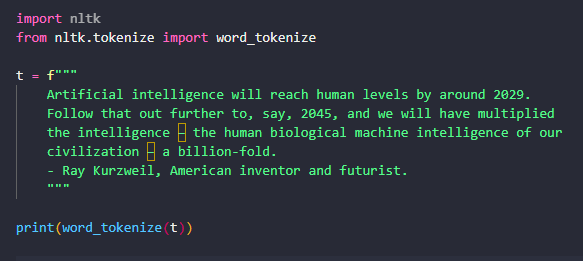
import nltk
from nltk.tokenize import word_tokenize

t = f"""
    Artificial intelligence will reach human levels by around 2029.
    Follow that out further to, say, 2045, and we will have multiplied
    the intelligence – the human biological machine intelligence of our
    civilization – a billion-fold.
    - Ray Kurzweil, American inventor and futurist.
    """

print(word_tokenize(t))

#Output:
#['Artificial', 'intelligence', 'will', 'reach', 'human', 'levels',
# 'by', 'around', '2029', '.', 'Follow', 'that', 'out', 'further', 'to',
# ',', 'say', ',', '2045', ',', 'and', 'we', 'will', 'have', 'multiplied',
# 'the', 'intelligence', '–', 'the', 'human', 'biological', 'machine', 'intelligence',
# 'of', 'our', 'civilization', '–', 'a', 'billion-fold', '.', '-', 'Ray', 'Kurzweil', ',',
# 'American', 'inventor', 'and', 'futurist', '.']
Let’s explain what’s happening here:
- We import our library nltk and we import the method that we will use to tokenize the string called word_tokenize.
- We define our text t. We use the f-string syntax f and the triple-quotes to declare a multiline string literal. This allows all of our line breaks to be preserved when text t is printed to the screen. In this case our string literal is a famous quote about Artificial Intelligence 😊
- We call the method word_tokenize that was imported earlier and we supply our text t as a parameter. The word_tokenize method is the method that will actually tokenize the text. It accepts 3 parameters and returns a tokenized copy of the text as a list. The parameters are:
- the text which is the string to be tokenized
- the language which a string that defaults to ‘english’ and represents the name of the model used by the nltk tokenizer
- the preserve_line flag which determines whether to sentence tokenize the text or not and it defaults to False.
- The print statement will print the list returned by the call word_tokenize(t). In this case we see that the string is broken up into words and punctuation as seen in the output.
Simple right? Once the statement executes we will see a list of words printed to the console. The nltk library is quite powerful and prolific. Note from the above example that the tokenizer is intelligent enough to tell the difference between words and punctuation.
The nltk library also allows us to tokenize by the sentences in our text, as opposed to just the words and punctuation. Here’s our code:
import nltk
from nltk.tokenize import sent_tokenize

t = "I came. I saw. I conquered."

print(sent_tokenize(t))

#Output:
#['I came.', 'I saw.', 'I conquered.']
Let’s explain what’s happening here:
- We import the package nltk and the method sent_tokenize that we will use to tokenize our sentence.
- We define our text t.
- The sent_tokenize method is our sentence tokenizer. It accepts two arguments and returns the text split into sentences. The two parameters are the text which is t in this case and the language which is the name of the model used by the nltk tokenizer, which defaults to ‘english’.
- The print statement prints the list returned by sent_tokenize(t). The list will contain three sentences.
Once the statement executes we will see a list of 3 sentences printed to the console. Note again that the tokenizer is smart enough to know what a sentence is in the English Language.
In our final example we will read text from a file on disk and call both tokenizers on the text. Here is our code:
import nltk
from nltk.tokenize import word_tokenize, sent_tokenize
import io


f = io.open("quote.txt", mode="r", encoding="utf-8")

t = f.read()

print(word_tokenize(t))
print(sent_tokenize(t))

#Output:
#['“', 'We', 'have', 'seen', 'AI', 'providing', 'conversation', 'and', 'comfort',
# 'to', 'the', 'lonely', ';', 'we', 'have', 'also', 'seen', 'AI', 'engaging', 'in', 'racial',
# 'discrimination', '.', 'Yet', 'the', 'biggest', 'harm', 'that', 'AI', 'is', 'likely', 'to', 'do',
# 'to', 'individuals', 'in', 'the', 'short', 'term', 'is', 'job', 'displacement', ',', 'as', 'the',
# 'amount', 'of', 'work', 'we', 'can', 'automate', 'with', 'AI', 'is', 'vastly', 'larger', 'than', 'before',
# '.', 'As', 'leaders', ',', 'it', 'is', 'incumbent', 'on', 'all', 'of', 'us', 'to', 'make', 'sure', 'we', 'are',
# 'building', 'a', 'world', 'in', 'which', 'every', 'individual', 'has', 'an', 'opportunity', 'to', 'thrive.', '”',
# 'Andrew', 'Ng', ',', 'Co-founder', 'and', 'lead', 'of', 'Google', 'Brain']

#Output:
#['“We have seen AI providing conversation and comfort to the lonely; we have also seen AI engaging in racial discrimination.',
# 'Yet the biggest harm that AI is likely to do to individuals in the short term is job displacement, as the amount of work we can automate with AI is vastly larger than before.',
# 'As leaders, it is incumbent on all of us to make sure we are building a world in which every individual has an opportunity to thrive.”\nAndrew Ng, Co-founder and lead of Google Brain']
Let’s explain what is happening here:
- We must prepare a file called quote.txt which will contain some text. This file should exist in the same folder as our python script on the local disk. For this example we are using the Windows 10 OS.
- We import the required nltk library and methods.
- We import the io library so that we can read from the file on disk.
- The io.open() method accepts the name of our file, the mode and the encoding as parameters and returns a file object.
- We read all the bytes from the file object using the read() method which returns a string t.
- We call the word_tokenize method to tokenize the string t read from the file by words and punctuation.
- We call the sent_tokenize method to tokenize the string t read from the file by sentence.
Once the statement executes, we will see two lists printed to the console: a list of words and a list of sentences. This is exactly what we expect to see. Note that the tokenizer keeps any newline characters in the original text too!
Following is our full code:
import nltk
from nltk.tokenize import word_tokenize, sent_tokenize
import io

t = f"""
    Artificial intelligence will reach human levels by around 2029.
    Follow that out further to, say, 2045, and we will have multiplied
    the intelligence – the human biological machine intelligence of our
    civilization – a billion-fold.
    - Ray Kurzweil, American inventor and futurist.
    """

print(word_tokenize(t))

t = "I came. I saw. I conquered."

print(sent_tokenize(t))

f = io.open("quote.txt", mode="r", encoding="utf-8")

t = f.read()

print(word_tokenize(t))
print(sent_tokenize(t))
Thanks for reading our tutorial. Now you can use the Python nltk library to tokenize an example string. Happy Coding! 👌👌👌
