

Hi! Let’s do a Python LRU Cache Example. LRU means Least Recently Used. We will be using Python 3.8.10. Let’s go! ⚡⚡✨✨
Caching, in general, is a technique that improves software performance. A cache is a location in memory or storage that is computationally cheaper and faster to access. The LRU strategy evicts the least recently used items from the cache, only keeping the most recently used items. The LRU cache is used when one wants to reuse previously computed values.
In Python, the lru_cache function decorator implements LRU caching. The decorator wraps the function and memoizes up to the specified amount of function calls. Recall that memoization stores results of function calls and returns the cached result if and when the same inputs re-occur. Recall also that a decorator in Python is a function that takes another function as its argument, and returns yet another function.
Internally, Python uses a dictionary data structure to implement caching.
Let’s write some code. Here, we will use employ LRU caching in a famous use case:
from functools import lru_cache

@lru_cache(maxsize = 256)
def fibonacci_sequence(n):
   if n <= 1:
       return n
   else:
       return(fibonacci_sequence(n-1) + fibonacci_sequence(n-2))

n = 25

print("Fibonacci sequence:")

for i in range(n):
    print(fibonacci_sequence(i))

#Output
#Fibonacci sequence:
#0
#1
#1
#2
#3

#...
#10946
#17711
#28657
#46368
Let’s explain what is happening here:
- From the functools library we import lru_cache.
- We include our @lru_cache decorator which takes two potential parameters: maxsize (defaults to 128) and typed (which defaults to False). The maxsize parameter is the size of our LRU cache and the maximum amount of function calls that will memoized or cached. We used a size of 256 in this case.
- We perform the usual steps of the Fibonacci Sequence algorithm which we include in the fibonacci_sequence() function. Note that we are using a recursive algorithm here so this will require high potential memory utilization. This is one use case that could always benefit from LRU caching.
- We call the function in a loop to print the first n members of the sequence.
Easy right? Once the above code executes we will see a list of the first n members of the Fibonacci. But how do we know if the cache actually improved the performance of our script? Seeing is believing so let’s actually see how the cache was used:
print(fibonacci_sequence.cache_info())

#Output
#CacheInfo(hits=46, misses=25, maxsize=256, currsize=25)
The cache_info() function is how we will know if the cache is doing its job. It returns a named tuple showing hits, misses, maxsize and currsize. The hits value is of particular importance because it shows how many times the cache is actually being used. The currsize is the current amount of cached function calls and the misses value is the amount of times the cache was referenced but the value entry sought didn’t exist in the cache. In our case, the cache is actually being used!
The fibonacci_sequence() function takes only one parameter argument but in LRU caching, different argument patterns will have different calls and different cache entries. For example, if we had argument x=10 and y=20 for function z, this would be different in the cache to y=10 and x=20 for function z. Both argument patterns for function z will require their own separate calls to the cache.
Now, let’s see how the speed of our code improved due to LRU caching. We will do a speed comparison of an LRU Cached vs Non-LRU Cached version of the code. Let’s go:
from functools import lru_cache
import time

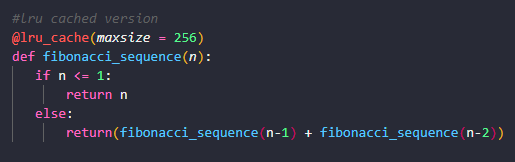
#lru cached version
@lru_cache(maxsize = 256)
def fibonacci_sequence(n):
   if n <= 1:
       return n
   else:
       return(fibonacci_sequence(n-1) + fibonacci_sequence(n-2))

#non-lru cached version
def non_cached_fibonacci_sequence(n):
   if n <= 1:
       return n
   else:
       return(non_cached_fibonacci_sequence(n-1) + non_cached_fibonacci_sequence(n-2))

n = 25

print("Fibonacci sequence:")

start = time.time()
for i in range(n):
    print(fibonacci_sequence(i))
finish = time.time()

print(f"The cached version took: {finish-start}")
print(fibonacci_sequence.cache_info())


start = time.time()
for i in range(n):
    print(non_cached_fibonacci_sequence(i))
finish = time.time()

print(f"The non-cached version took: {finish-start}")
Let’s explain what’s going on here:
- Aside from the usual lru_cache import, we also import the time library which we will use to see the difference in the time taken for the functions to execute.
- We define two functions: the LRU cached version fibonacci_sequence with the usual decorator and the non-LRU cached version non_cached_fibonacci_sequence without the decorator.
- The value of n is 25 which means we want the first 25 members of the Fibonacci sequence.
- We execute both in sequence. First the cached version and then the non-cached version of the function.
Great! Once this program executes we will get the following output or something very similar:
# Fibonacci sequence:
# 0
# 1
#...
# 28657
# 46368
# The cached version took: 0.0
# CacheInfo(hits=46, misses=25, maxsize=256, currsize=25)
# 0
# 1
# ...
# 28657
# 46368
# The non-cached version took: 0.0625150203704834
Note that the cached version took 0 seconds (really a very very small number) and the cached version took approximately 0.00625 seconds. So not only is the LRU cached being used but it is actually improving the speed at which our code executes.
When you try this code, time taken will not be the exact same as mine, but they will be close.
We used small quantities for this example, but at scale you can certainly imagine how using a cache will be CRITICAL to maintaining high performance.
We hope this helped! Check out our tutorial on concurrency in Python HERE. Thanks for reading our Python LRU Cache Example. Happy caching! 👌👌👌
