

For this Load CSV Files with Python and pandas tutorial, we will show you the following:
- Import a CSV file
- Do some basic EDA (Exploratory Data Analysis)
- Select rows and columns
We will be using Python 3.8.10 and the pandas module to accomplish this.
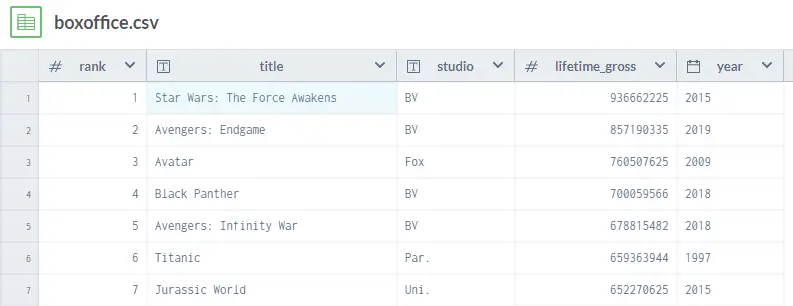
The dataset we will be using for this tutorial is Box Office Mojo’s listing of the domestic (US only) lifetime gross (US Dollars), ranking and production year of 14000+ movies via Data.World. You can find it HERE.
Next, we begin writing our code!⚡⚡ We will be using the pandas module, as previously mentioned to import python csv files. The pandas module is one of the best tools you can use when it comes to working with relational data in the Python programming language. If you don’t already have pandas installed, you can install it with the following command at the terminal:
pip install pandasNext we write the actual logic:
# Import packages
import requests
import pandas as pd #pip install pandas
import io

url = 'https://raw.githubusercontent.com/devrescue/python/main/datasets/boxoffice.csv'


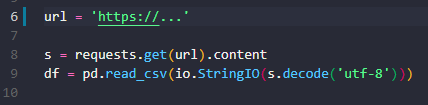
s = requests.get(url).content
df = pd.read_csv(io.StringIO(s.decode('utf-8')))

print(df.info())
print(df.head())
print(df.describe())
print(df["lifetime_gross"].describe().apply(lambda x: format(x, 'f')))
print(df.tail())
Let’s explain what is happening here:
- Import our modules: We are using the os module which allows us to use operating system dependent functionality. We are also using the pandas module, as previously mentioned.
- Import the data from the CSV file: Using the requests module we can grab the CSV directly from a URL.
- Create Pandas DataFrame: pd.read_csv(boxoffice) reads a CSV (Comma Separated Value) file into a pandas DataFrame called df. A DataFrame is the primary pandas data structure. It is two-dimensional, which means it has columns and rows. Moving forward, our dataset is contained in the df DataFrame.
- Perform Simple Exploratory Data Analysis (EDA): EDA is what most Data Scientists do to get an understanding of the data they are working with before they do more in depth analysis:
- The info() method gives us basic information about the dataframe df such as the column names, types, number of rows and memory usage.
- The head(n=5) method gives us the first n rows in the dataframe based on position. If left blank, it returns the first 5 rows.
- The describe() method gives us general descriptive statistics about the dataset contained in dataframe df.
- The tail(n=5) method give us the last n rows in the dataframe based on position. If left blank, it returns the last 5 rows.
The Python Notebook of this tutorial will allow you to see what each of these statements do. Find it HERE.
Now that we have imported our CSV file, and have some idea what that data represents, we can now use indexing to extract the rows and columns.
Using the iloc[] method we can do selection by position. For example, we already know from our EAD that there are 16,542 rows (0 to 16541) so we can use this code to display the first and last row using iloc[]:
print(df.iloc[[0,16541]])We give iloc the index of the first and last row which are 0 and 16541 respectively.
iloc[] also accepts a single integer if you want to return just 1 row.
We can select rows and columns simultaneously also. For example, if we want only the title, lifetime_gross and year for the first 5 rows we can do the following:
print(df.iloc[:5,[1,3,4]])Using the iloc[] method we can use indexing intelligently to get our data. The :5 is how we use slicing to give us the first five rows of the dataset. The [1,3,4] gives us the 2nd, 4th and 5th column of the dataset.
Finally, we can select data from our imported CSV dataset based on a particular condition. For example, if we want only movies where the lifetime_gross is more than 500M dollars we can do this:
df[df["lifetime_gross"] > 500000000]Using indexing once again, we can select rows from our imported dataset that meet our condition.
So we have been able to import a CSV file using pandas, create a DataFrame out of that CSV data, do EDA on our dataset as well as select rows and columns from our dataset for further processing. Yaaaaay 🙌🙌🙌.
Find out more about pandas HERE and you can find the full code on GitHub HERE. We hope this tutorial was helpful, thank you for reading. 👌👌👌
Wanna learn more? We have other awesome Python Tutorials which you can find HERE.
